> ## Documentation Index
> Fetch the complete documentation index at: https://dripart-feat-openapi-i18n.mintlify.site/llms.txt
> Use this file to discover all available pages before exploring further.
# Comfy Cloud 구독 취소하기
> Comfy Cloud 구독을 취소하는 방법 알아보기
## 취소 방법
Comfy Cloud 구독을 취소하려면:
1. [cloud.comfy.org](https://cloud.comfy.org/?utm_source=docs)에 접속하여 로그인하세요.
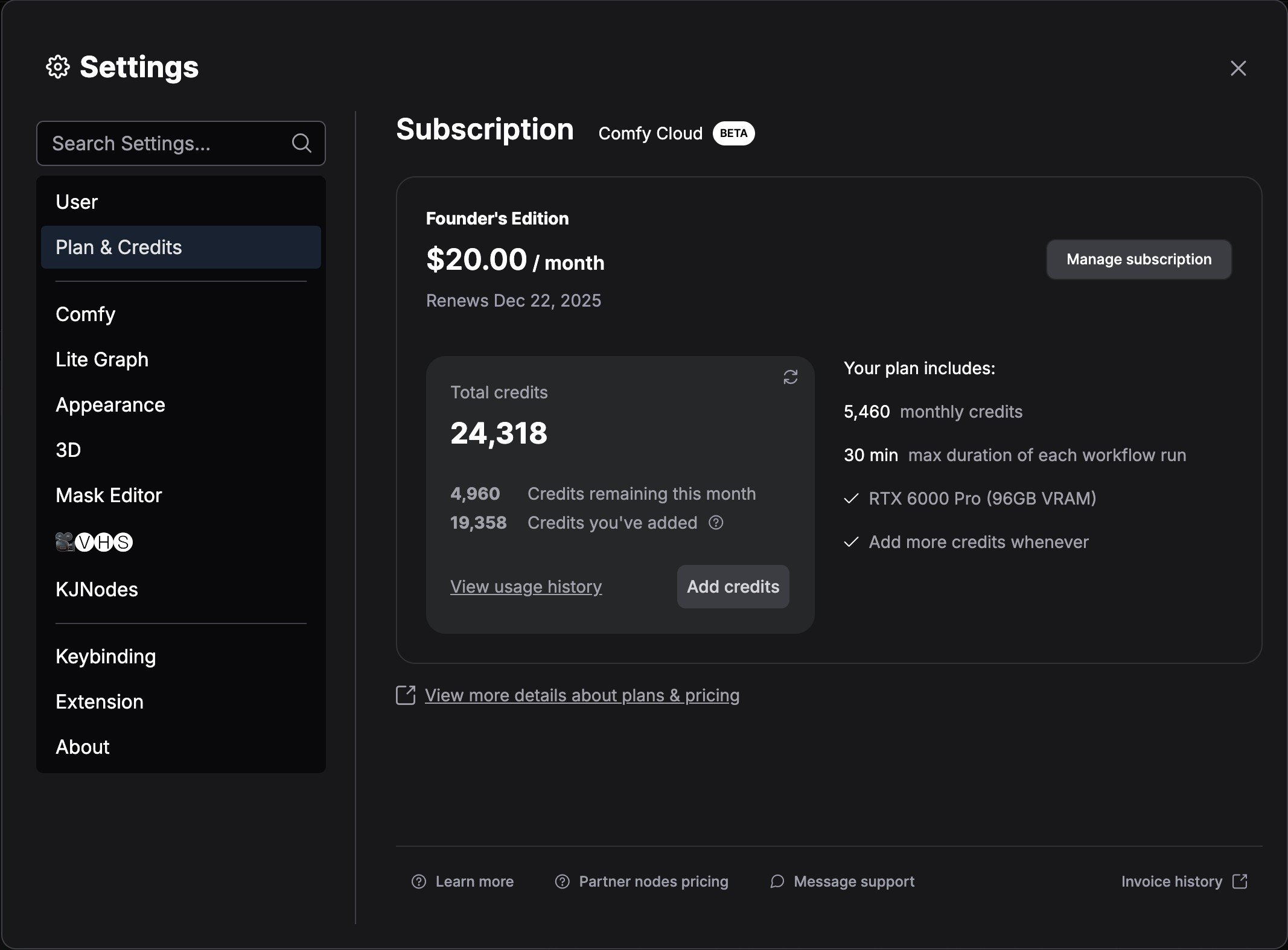
2. 설정 메뉴로 이동하세요.
3. **Plan & Credits**로 이동하세요.
4. **구독 관리**를 클릭하세요.
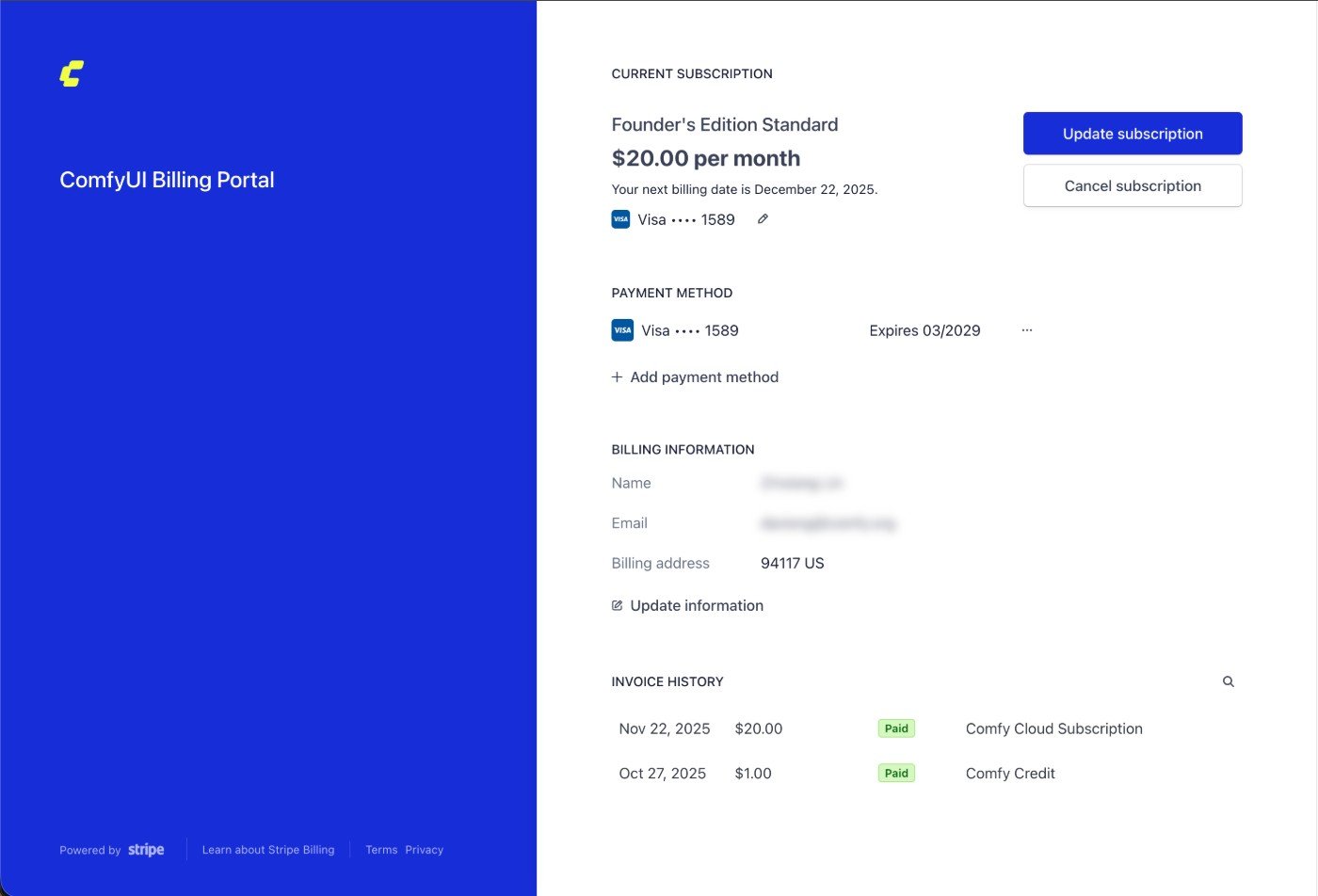
 5. Stripe에서 `구독 취소` 버튼을 클릭하여 구독을 취소하세요.
 ## 중요한 참고사항
* 모든 Comfy Cloud 구독 플랜은 구독 취소 설정을 하지 않는 한 자동으로 갱신됩니다.
* 현재 청구 기간이 끝날 때까지 구독 상태는 유지됩니다.
* 언제든지 [cloud.comfy.org](https://cloud.comfy.org/?utm_source=docs)에 접속하여 다시 구독할 수 있습니다.
## 중요한 참고사항
* 모든 Comfy Cloud 구독 플랜은 구독 취소 설정을 하지 않는 한 자동으로 갱신됩니다.
* 현재 청구 기간이 끝날 때까지 구독 상태는 유지됩니다.
* 언제든지 [cloud.comfy.org](https://cloud.comfy.org/?utm_source=docs)에 접속하여 다시 구독할 수 있습니다.