> ## Documentation Index
> Fetch the complete documentation index at: https://dripart-feat-openapi-i18n.mintlify.site/llms.txt
> Use this file to discover all available pages before exploring further.

# 查看您的付款历史记录

> 访问和查看您过去的付款和发票

您可以通过帐户仪表板查看完整的付款历史记录并下载发票。

## 访问付款历史记录

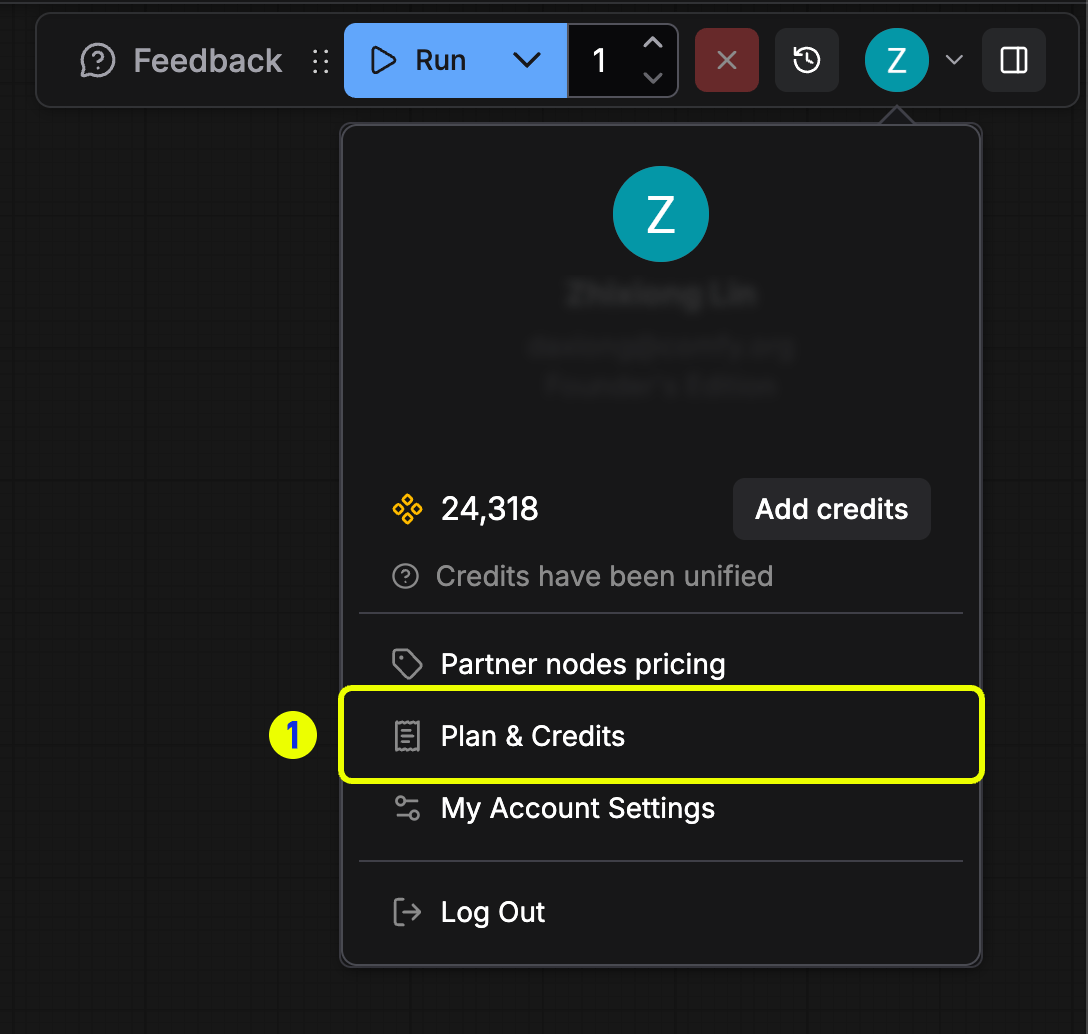
1. 登录您的 ComfyUI 帐户并打开个人菜单
2. 点击**用户设置**
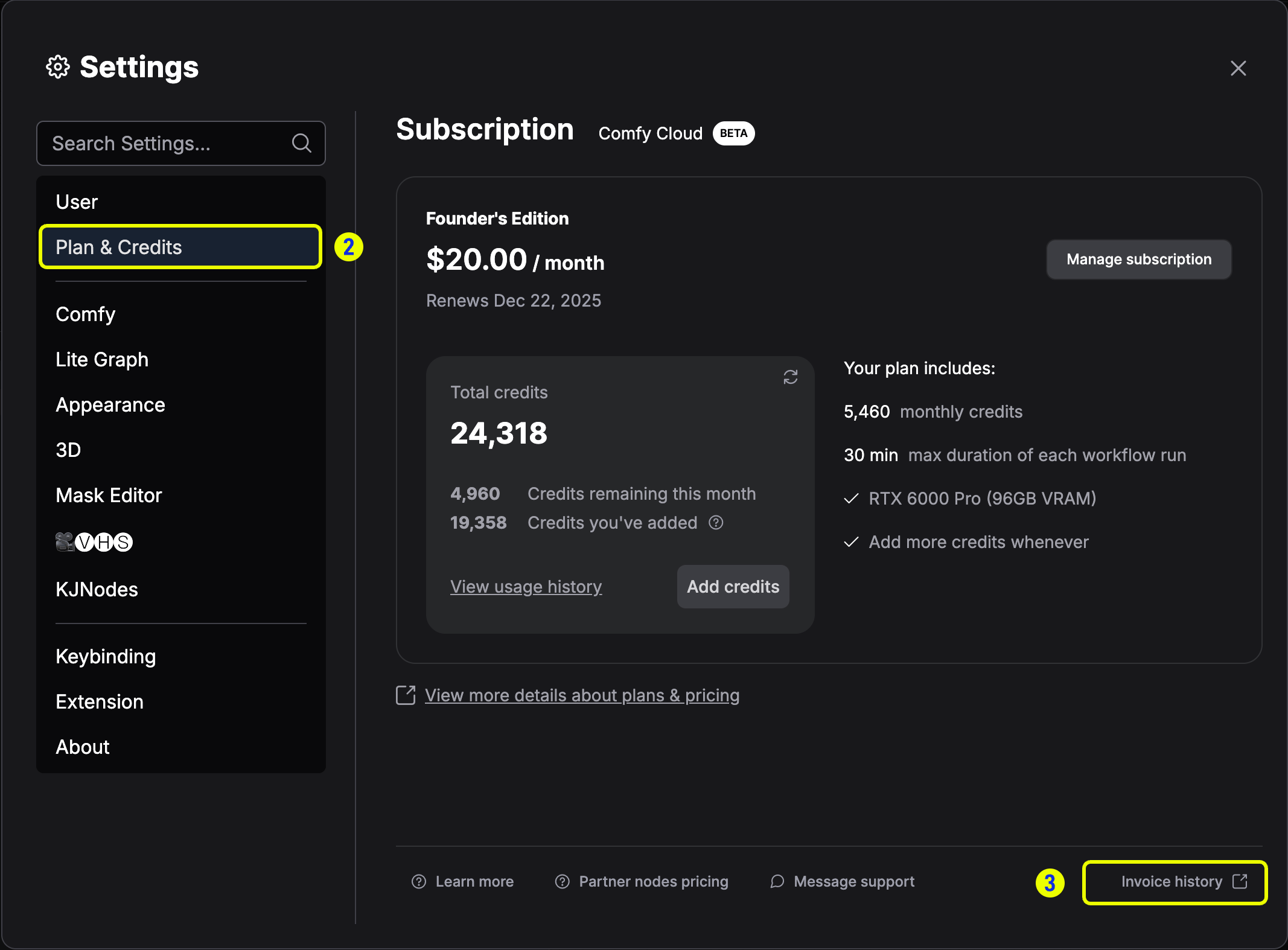
3. 在设置面板中选择**积分**
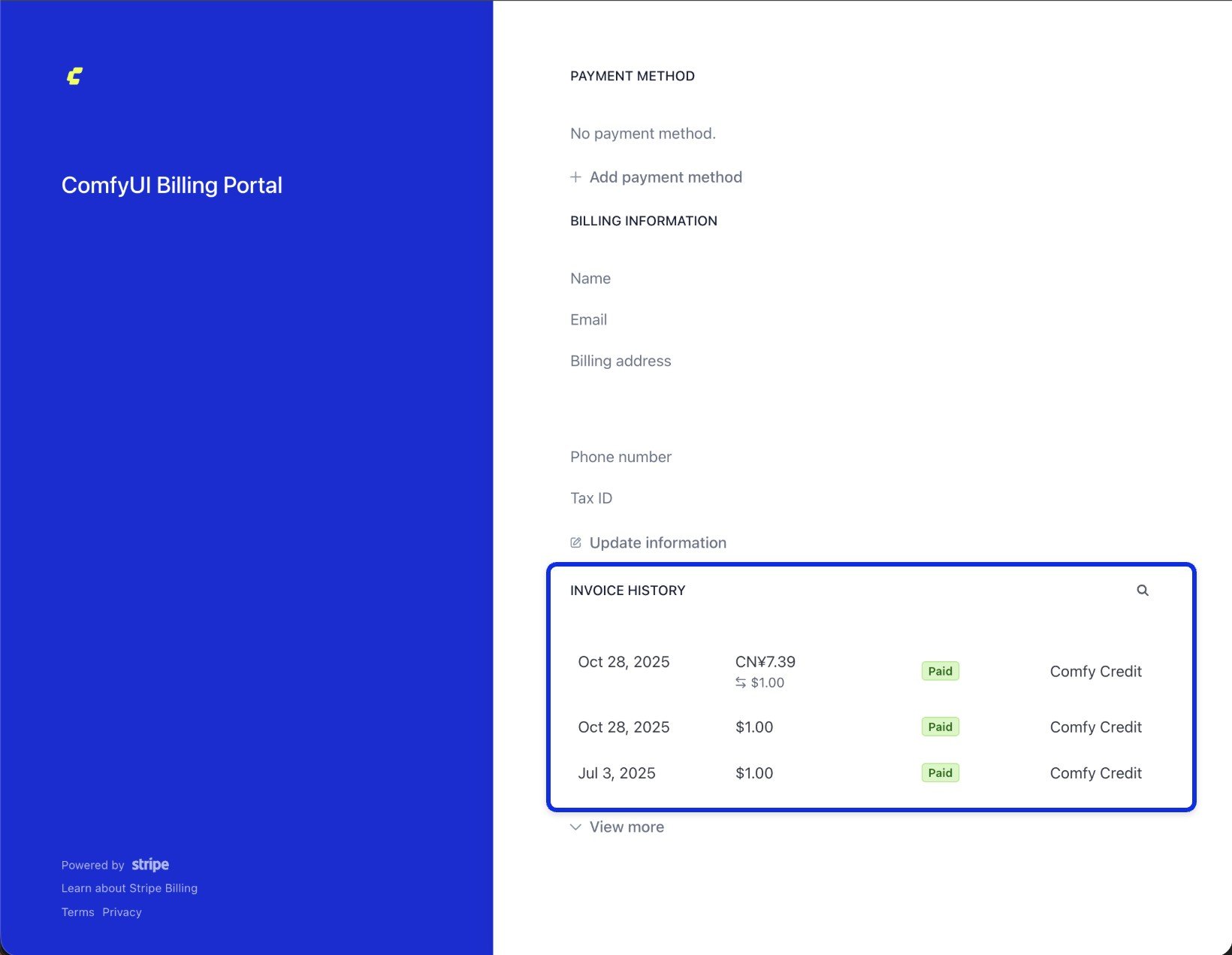
4. 点击**发票历史记录**进入 Stripe 账单门户，即可看到对应的支付历史记录

### 操作步骤示意

<img src="https://mintcdn.com/dripart-feat-openapi-i18n/r4ofTdiq3RgdmlpY/images/support/payment/billing-1-account.png?fit=max&auto=format&n=r4ofTdiq3RgdmlpY&q=85&s=5af4dff12eef4a2cea50047020dca6a2" alt="个人菜单中高亮显示的“用户设置”入口" width="1088" height="1034" data-path="images/support/payment/billing-1-account.png" />

*打开个人菜单并选择**用户设置**以管理账单。*

<img src="https://mintcdn.com/dripart-feat-openapi-i18n/r4ofTdiq3RgdmlpY/images/support/payment/billing-2-credits.png?fit=max&auto=format&n=r4ofTdiq3RgdmlpY&q=85&s=631ad69a8840ac27052a6070f362293c" alt="积分选项卡中高亮显示的“发票历史记录”按钮" width="2134" height="1574" data-path="images/support/payment/billing-2-credits.png" />

*进入**积分**选项卡并点击**发票历史记录**。*

<img src="https://mintcdn.com/dripart-feat-openapi-i18n/r4ofTdiq3RgdmlpY/images/support/payment/billing-4-history.jpg?fit=max&auto=format&n=r4ofTdiq3RgdmlpY&q=85&s=f31d419bf2674af1b4ca67dd3c708b05" alt="Stripe 门户中显示发票历史列表的界面" width="1640" height="1271" data-path="images/support/payment/billing-4-history.jpg" />

*在 Stripe 门户中查看您的发票列表。*

## 下载发票

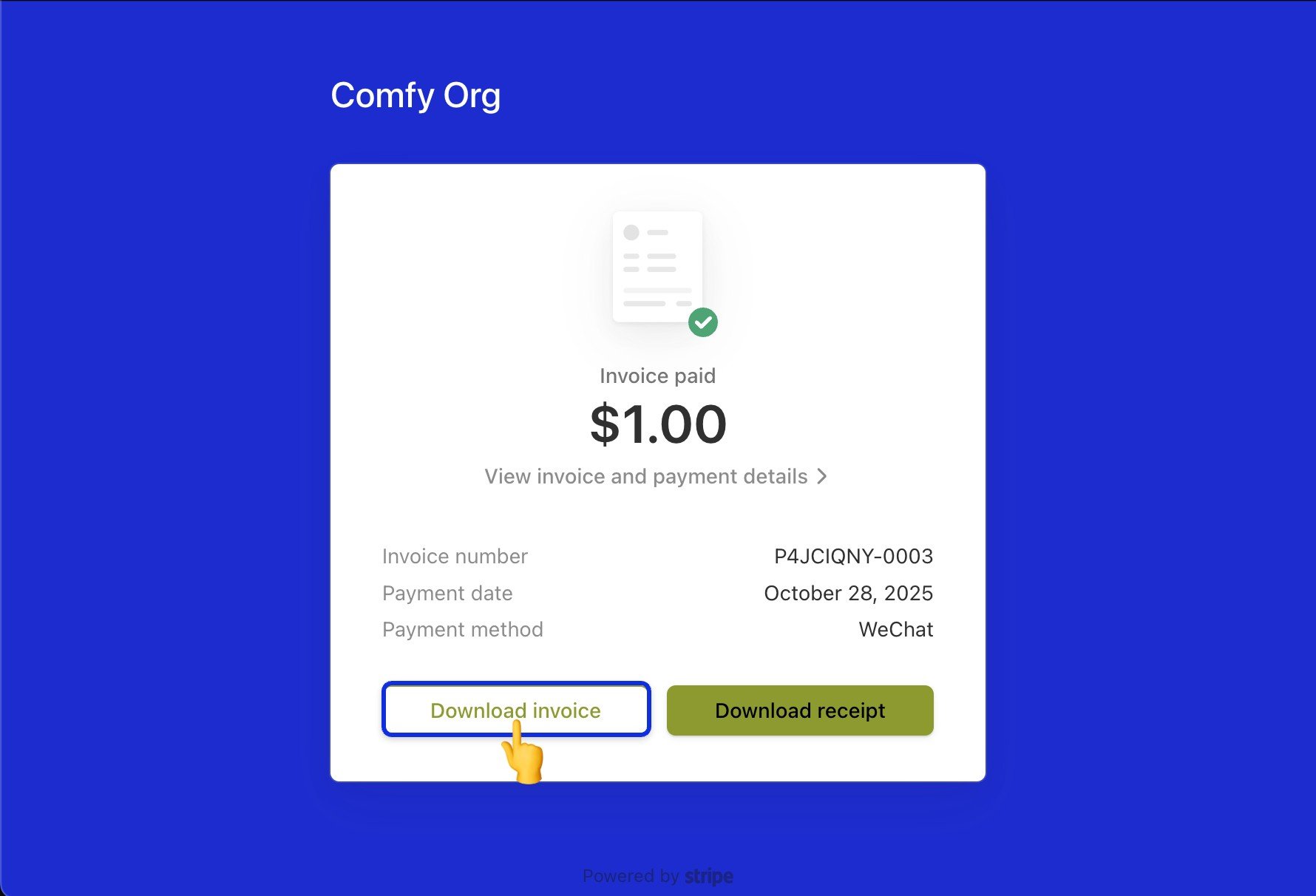
在 Stripe 门户中，打开发票历史列表中的任意条目以查看详情并下载 PDF 副本。

<img src="https://mintcdn.com/dripart-feat-openapi-i18n/r4ofTdiq3RgdmlpY/images/support/payment/billing-5-download-invoice.jpg?fit=max&auto=format&n=r4ofTdiq3RgdmlpY&q=85&s=b11490d3fa6570872b3fc9130f072143" alt="发票历史详情，高亮显示下载选项" width="1780" height="1212" data-path="images/support/payment/billing-5-download-invoice.jpg" />

请确保在生成新发票前填写正确的账单信息。您可以通过[编辑您的付款信息](/zh/support/payment/editing-payment-information)进行更新。